
A reliable home backup power system can keep essential appliances, electronics, internet equipment, and other important devices running when the home backup runtime guide main electricity supply fails. However, one of the most common questions homeowners have is: How long will my backup system actually run? The answer depends on several factors, including battery capacity, appliance consumption, inverter efficiency, and how much equipment is connected.
This home backup runtime guide explains the basics of backup runtime, how to estimate it, what affects battery life, and practical ways to get more hours from your backup system.
What Is Home Backup Runtime?
Home backup runtime refers to the amount of time a battery-powered backup system can provide electricity before its stored energy is depleted or reaches its safe discharge limit.
For example, if a backup battery can operate essential devices for six hours during a power outage, its runtime is six hours under those particular load conditions. Runtime is not a fixed number because connecting additional appliances increases electricity consumption and reduces the operating time.
A small load such as a Wi-Fi router and a few LED lights may run for many hours. Running a refrigerator, television, computer, fans, and other high-consumption appliances at the same time will generally shorten runtime.
Understanding Battery Capacity
Battery capacity is one of the most important factors in determining backup runtime. It is commonly expressed in watt-hours (Wh) or kilowatt-hours (kWh).
One kilowatt-hour equals 1,000 watt-hours. A battery rated at 2 kWh, for example, theoretically stores 2,000 watt-hours of energy.
The basic runtime calculation is:
Runtime = Usable Battery Capacity ÷ Total Power Consumption
Suppose a system has 2,000 Wh of usable capacity and the connected devices consume 400 watts. The theoretical runtime would be:
2,000 Wh ÷ 400 W = 5 hours
In real-world conditions, the actual result may be lower because of inverter losses, battery management systems, temperature, and other factors.
Calculate Your Home’s Power Load
Before choosing a backup battery, identify the appliances and electronics you want to operate during an outage. Look for the wattage listed on product labels, power adapters, manuals, or manufacturer specifications.
Common household loads may include:
- LED lights
- Wi-Fi routers
- Laptop computers
- Desktop computers
- Televisions
- Fans
- Refrigerators
- Security cameras
- Modems
- Phone chargers
- CPAP or other essential medical equipment
- Small kitchen appliances
Add the estimated wattage of the devices you expect to use simultaneously.
For instance, imagine your essential backup load consists of:
- Lights: 60 watts
- Wi-Fi equipment: 20 watts
- Television: 100 watts
- Laptop: 65 watts
- Fan: 70 watts
The total continuous load is approximately 315 watts.
If your backup system provides 1,500 Wh of usable energy, the theoretical runtime is approximately 4.76 hours. Actual runtime could be somewhat shorter.
Account for Inverter Efficiency
The battery does not deliver all its stored energy directly to your appliances. If your backup system uses an inverter to convert DC battery power into household AC power, some energy is lost during conversion.
For example, a system with 90% overall inverter efficiency will provide less usable AC energy than the battery’s theoretical capacity.
A more realistic calculation can be:
Runtime = Battery Capacity × Efficiency ÷ Load
Using a 2,000 Wh battery, 90% efficiency, and a 400-watt load:
2,000 × 0.90 ÷ 400 = 4.5 hours
This illustrates why theoretical calculations should be treated as estimates rather than guarantees.
Battery Chemistry Matters
Battery technology can also affect usable capacity and long-term performance.
Lithium-based batteries are widely used in modern portable power stations and home backup systems because they can offer good energy density, relatively low maintenance, and efficient operation. Lithium iron phosphate, commonly called LiFePO4, is another popular battery chemistry known for its durability and long cycle life.
Traditional lead-acid batteries may have different usable-capacity recommendations and discharge characteristics. Therefore, two systems with similar advertised capacities may not provide exactly the same practical runtime.
Always follow the manufacturer’s specifications for maximum discharge and recommended operating conditions.
High-Power Appliances Can Reduce Runtime Quickly
Some appliances consume significantly more electricity than everyday electronics. Heating appliances, air conditioners, electric kettles, microwave ovens, hair dryers, and similar equipment can place a substantial load on a backup system.
There is also a difference between continuous power and startup power.
Certain appliances, especially those with motors or compressors, may briefly require more power when starting. Refrigerators and some pumps are examples. Your inverter must be capable of handling these temporary surges.
A backup system may have enough total energy capacity but still fail to operate an appliance if its inverter cannot provide the required peak power.
How to Extend Home Backup Runtime
One of the easiest ways to increase runtime is to prioritize essential devices.
Instead of attempting to power the entire house, create an essential-load list. Internet equipment, lighting, communication devices, security systems, and selected appliances may be more important than high-energy devices during a short outage.
You can also:
- Turn off unnecessary lights.
- Disconnect unused chargers and electronics.
- Reduce television usage.
- Use energy-efficient LED lighting.
- Keep refrigerator and freezer doors closed as much as possible.
- Avoid running several high-power appliances simultaneously.
- Use power-saving settings on computers and monitors.
- Monitor the battery percentage during an outage.
Reducing the load even slightly can make a meaningful difference when an outage lasts for several hours.
Solar Charging Can Extend Backup Time
A battery backup system can provide limited runtime when operating independently. Adding solar panels can potentially extend the duration of backup operation by replenishing the battery during daylight hours.
However, solar production varies according to sunlight, panel orientation, weather, season, shading, and system configuration.
Solar charging should therefore be viewed as an additional energy source rather than a guarantee of continuous operation.
A properly sized solar-plus-battery system can be particularly useful for locations that experience frequent outages.
Temperature and Battery Age Affect Runtime
Environmental conditions can influence battery performance. Extremely hot or cold temperatures may reduce efficiency or affect available capacity, depending on the battery technology.
Battery age is another important consideration. Rechargeable batteries gradually lose capacity through normal use and aging. A system that once provided a certain runtime may eventually deliver less energy between charges.
Keeping the equipment in a suitable environment and following the manufacturer’s maintenance recommendations can help preserve performance.
Use a Runtime Calculator or Monitor
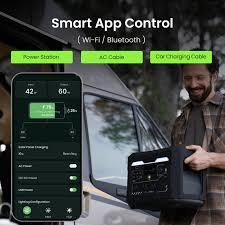
Many modern backup systems provide displays or mobile applications that show battery percentage, current power consumption, estimated remaining runtime, and charging status.
These measurements can be more useful than a simple theoretical calculation because they reflect the actual load connected to the system.
If your backup system reports that your home is consuming 500 watts, reducing the load to 300 watts can significantly increase the expected runtime.
Monitoring also helps you understand your household’s real energy requirements and plan for future outages.
Choosing the Right Backup Capacity
When selecting a home backup system, consider both energy capacity and power output.
Energy capacity, measured in Wh or kWh, determines approximately how long the system can operate a given load.
Power output, measured in watts, determines how much electricity the inverter can provide at one time.
For example, a large battery with a low maximum output may not be suitable for appliances requiring high starting or operating power. Conversely, a powerful inverter connected to a small battery may operate heavy loads but run for only a short period.
The best system balances both specifications according to your household requirements.
Final Thoughts
Understanding backup runtime makes it easier to prepare for power outages and choose an appropriate energy-storage system. The key factors include battery capacity, appliance consumption, inverter efficiency, battery chemistry, temperature, battery age, and the use of high-power appliances.
The simplest starting point is to calculate your essential electrical load and compare it with the usable capacity of your backup battery. Remember that real-world runtime is usually lower than the ideal mathematical result.
By reducing unnecessary consumption, prioritizing essential equipment, monitoring your energy use, and considering solar charging, you can make your backup system more effective.
A thoughtful home backup runtime guide should ultimately help you answer two important questions: How much power do I need, and how long do I need it to last? Once you know those numbers, selecting and using a home backup system becomes much easier.